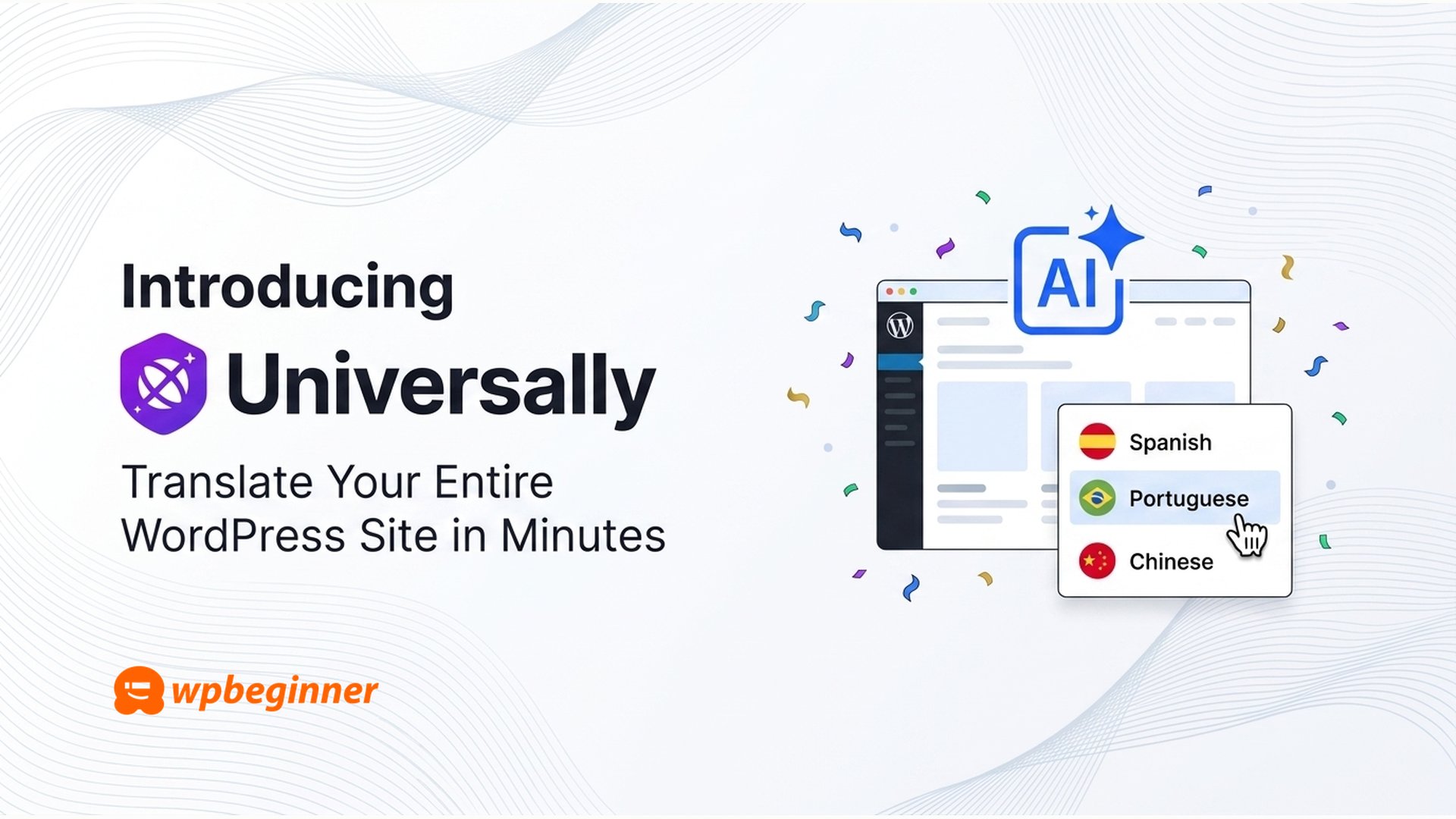
Let me introduce Universally, an AI-powered translation tool that turns a WordPress site into a fully-translated, SEO-ready, multilingual experience in minutes.
Source

Find out about new Skills and the Claude Cowork plugin for generating WordPress sites with AI.
Source
Thinking about selling online, but not sure where to start?
Our new course — Build Your Store with WooCommerce — gives you everything you need to create, set up, and manage your own online store with confidence. The WooCommerce plugin can be installed with any paid plan at no extra cost, turning your site into a complete store.
Whether you’re selling physical products, digital downloads, or services, this course takes you through the essential steps to get your shop up and running—so you understand not just what to do, but why it matters.
It’s fully self-paced, so you can move through each lesson in your own time. Complete the course in around an hour—or jump straight to what you need.
What you’ll learn
Across a series of practical, beginner-friendly lessons, you’ll learn how to:
- Set up your store foundation — choose a theme, install WooCommerce, and get your site ready for selling
- Add and manage products — create simple, variable, and downloadable products
- Configure payments — accept payments securely and understand your available options
- Set up tax and shipping — create shipping zones, classes, and configure tax settings for your store
- Design your store experience — customize your store pages and display products in a way that reflects your brand
- Test and manage orders — handle orders, emails, and refunds smoothly
- Launch your store — go live knowing everything is set up and working as expected
Why you should take this course
Starting an online store is an exciting journey.
This course gives you a clear, step-by-step path to launching your store using WooCommerce—used by millions of stores worldwide and one of the most flexible ways to sell on WordPress.com.
You’ll learn not just how to set things up, but why each step matters—so you can make better decisions as your store grows.
By the end, you’ll have a store that’s live and ready to grow.
More video resources to explore
If you’re just getting started or looking to grow your site further, check out our other popular courses:
At WordPress.com, we believe short thoughts deserve a real home. Today we’re introducing a new theme built for quick posts, replies, and reblogs: the kind of writing that lives somewhere between a tweet and a blog post, on a site that’s entirely yours.
If you’ve been thinking about starting your own small, private social network with friends or family, or you want a space to post thoughts freely, or to import your historical posts from Twitter, Mastodon, or Bluesky without handing your words over to someone else’s platform, this one’s for you.
Let’s take a look — or sign up now at wordpress.com/social.
Write now, not later
Click the “Compose” button, type your thoughts, watch the 500-character counter, and tap Post. No blank canvas, no formatting toolbar to navigate first. Just a simple prompt, What’s happening?, and a place to answer it.

A profile page that feels familiar
Your profile collects everything in one place: your avatar, bio, and the counts your readers will look for posts, following, followers. Tabs for Posts, Replies, Media, and Likes let visitors browse the way they already know how. A sidebar keeps Home, Explore, and your profile one click away.

Reblogs that actually work
This is the feature we’re most excited about. Click the reblog icon on any post and it flows into your own feed, credited to the original author, automatically. No screenshots, no copy-paste, no lost attribution.

Every post is a real post
Here’s what makes this different from a social app: every quick thought and every reblog is a real WordPress.com post on a site you own, and every reply is saved as a comment. You get the speed and feel of a social feed, with the permanence and portability of a blog. Export it, back it up, migrate it to another host. It’s yours.
Built for the open web
The theme is fully mobile-responsive, so posting from your phone feels just as natural as from your desktop. Tap Compose from wherever the thought hits you.
And because every blog on WordPress.com comes with RSS out of the box, your readers can follow along in whatever feed reader they already use. No algorithm, no app required, just a URL they can subscribe to and content that shows up when you publish it.
Give it a try
Head to wordpress.com/social to sign up for a new blog and get started.
We’d love to hear what you think.
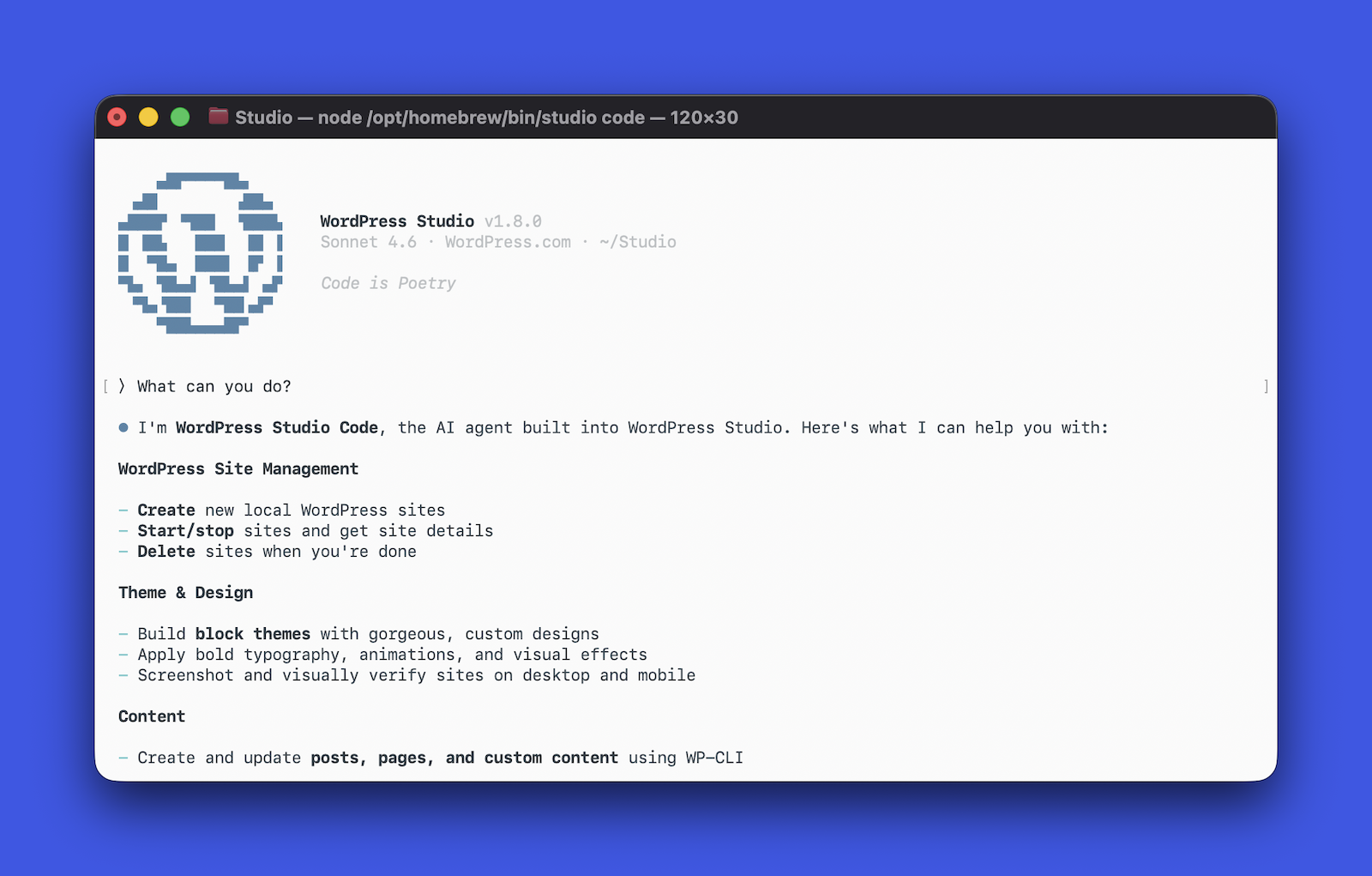
Studio Code is now in beta, and you can try it today — even though we’re still actively building it.
That’s intentional. We wanted to get it into your hands early, gather feedback, and shape the next phase of development together rather than polish it in a vacuum and call it done. Consider this the beginning of that conversation.
To try it, install Studio CLI (either from the desktop app or directly from your terminal) and then run studio code.
What is Studio Code?
Studio Code is a CLI tool — your WordPress expert in the terminal. Think of it like having a senior WordPress developer available as a command: one that reads your codebase, edits files, runs commands, can spin up local sites, and knows WordPress best practices deeply.
It’s like Claude Code or Cursor CLI, but specifically for WordPress. In fact, we’re leveraging the incredible tech of Claude Code to make Studio Code a powerful WordPress coding tool.

General-purpose coding agents don’t have the tools to act on a WordPress site out of the box — they can’t spin up a local environment, run WP-CLI commands, validate block markup against the real editor, or screenshot the result to check their own work.
Studio Code can. It’s purpose-built for WordPress: it understands block themes, knows WP-CLI inside and out, validates block markup against the real editor, and works the same feedback loop a developer would — run something, check the output, iterate until it looks right, and ship.
You describe what you want in natural language; Studio Code builds it.
What it can actually do
The honest answer: quite a lot, and it’s getting more abilities by the day.
Build a complete WordPress site from a description or reference. You give it a site concept — a bakery, a portfolio, a nonprofit landing page — or a reference URL, and it designs and builds a full block theme: layout, typography, color palette, and page content. It picks fonts, writes CSS, creates the pages, checks the visual output with a screenshot, and fixes what’s broken.
Manage your local WordPress sites. Create sites, start and stop them, install plugins, activate themes, set options, create posts and menus all through natural language. It uses WP-CLI under the hood, but you don’t have to.
Write and validate block content. Block markup has to be structurally valid or WordPress will reject it in the editor. Studio Code validates every block it generates against the real block editor before inserting it — running each block through its save() function in an actual browser.
Validate performance. Is your site fast? Run the /need-for-speed skill to run a performance audit on your local site, and you’ll get specific, actionable recommendations to speed it up.
Preview and publish to WordPress.com. Once you’re happy with your local build, you can generate a hosted preview site link and push to or pull from WordPress.com, where your site will be backed by fully managed hosting, built-in security, and 24/7 expert support.
Clean up your WordPress category taxonomy. Audit your existing categories, merge duplicates, retire dead ones, create missing ones, and re-categorize posts — all through natural language. It exports your content and applies AI-driven structure, but you don’t have to touch a single category setting yourself.

Why we’re shipping it now
We’re in the middle of building this, and we think that’s important to say out loud.
The core experience works. People are using it to build real sites, prototype ideas quickly, and skip the scaffolding work that eats time without adding value. We’ve seen it go from a brief description to a fully designed, content-filled WordPress site in a few minutes — start to finish.
But there’s more to build as AI gets better every day. We’re refining the design intelligence, improving how it handles complex layouts, and expanding what it can do with existing sites. So we’re doing the thing we believe in: shipping early, being honest about where it is, and building in public.
During the beta, we decided to keep the Studio Code experience free. That may change in the future, and we want your feedback before we can lock that in.
Give it a spin
Once you have the Studio CLI installed, simply run studio code to start using the beta.
We want to know what works, what doesn’t, and what you wish it could do. Open a GitHub issue with your thoughts, feedback, bug reports, and enhancement requests, and check out the documentation for more tips.
April 12–23, 2026
Welcome back to the WordPress.com changelog!
Over the past two weeks, we opened up the WordPress 7.0 beta for Business and Commerce sites, made it easier for you to fix plugin errors, and made our Support Center more easy to navigate.
Releases
Try WordPress 7.0 before it ships
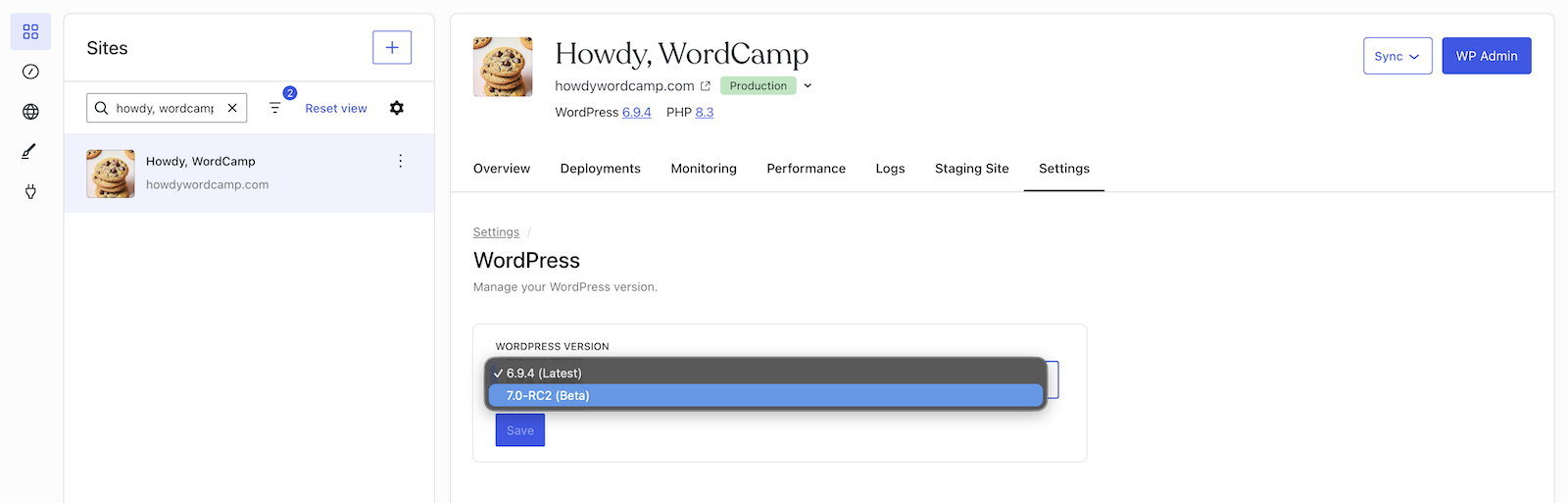
WordPress 7.0 is on its way, and if you’re on a Business or Commerce plan, you can now test the beta on your live and/or staging site.
Visit Sites → Your Site → Settings → Server → WordPress, and pick the beta version from the dropdown.

WordPress.com takes an automatic backup of your site before switching the version, keeps your site on the latest beta as new betas are released, and lets you switch back to a stable version at any time from the same settings area.
Security
When a plugin breaks your site, you can fix it in one click
When a plugin causes a fatal error on your WordPress.com site, you no longer face a blank screen with no way out.
Site owners will now see an error page that identifies which plugin triggered the problem and offers a one-click Deactivate button, which works even if the site won’t load normally, to disable the offending plugin before it has a chance to run again.

Meanwhile, your site visitors see a clean apology — no technical details, no alarm.

For further peace of mind, our Happiness Engineers are constantly working to detect potential issues with plugins that may cause fatal errors on your site and proactively seek solutions before they become an issue for you or your readers/users.
We also have a dedicated team of Security Specialists who work on detecting and resolving malware and other threats to your sites and will keep you updated with anything they find via email.
Support
Navigate our Support Center with the Support Assistant
Using the search bar in our Support Center now launches the Support Assistant by default for logged in and logged out users. The chat can surface answers to your specific questions, highlight helpful support resources, and connect you with one of our incredible Happiness Engineers if you need more assistance.

Fixes and improvements
We shipped additional reliability and polish updates across WordPress.com too, including:
- Adding an explicit confirmation screen when connecting your WordPress.com account to Telegram.
- Preventing survey pop-ups from appearing while the Help Center is open, so the two don’t compete for your attention.
- Enabling customers to start a free trial using UPI.
David Edery co-founded Spry Fox in 2010 with a simple goal: creating games that make people happy.
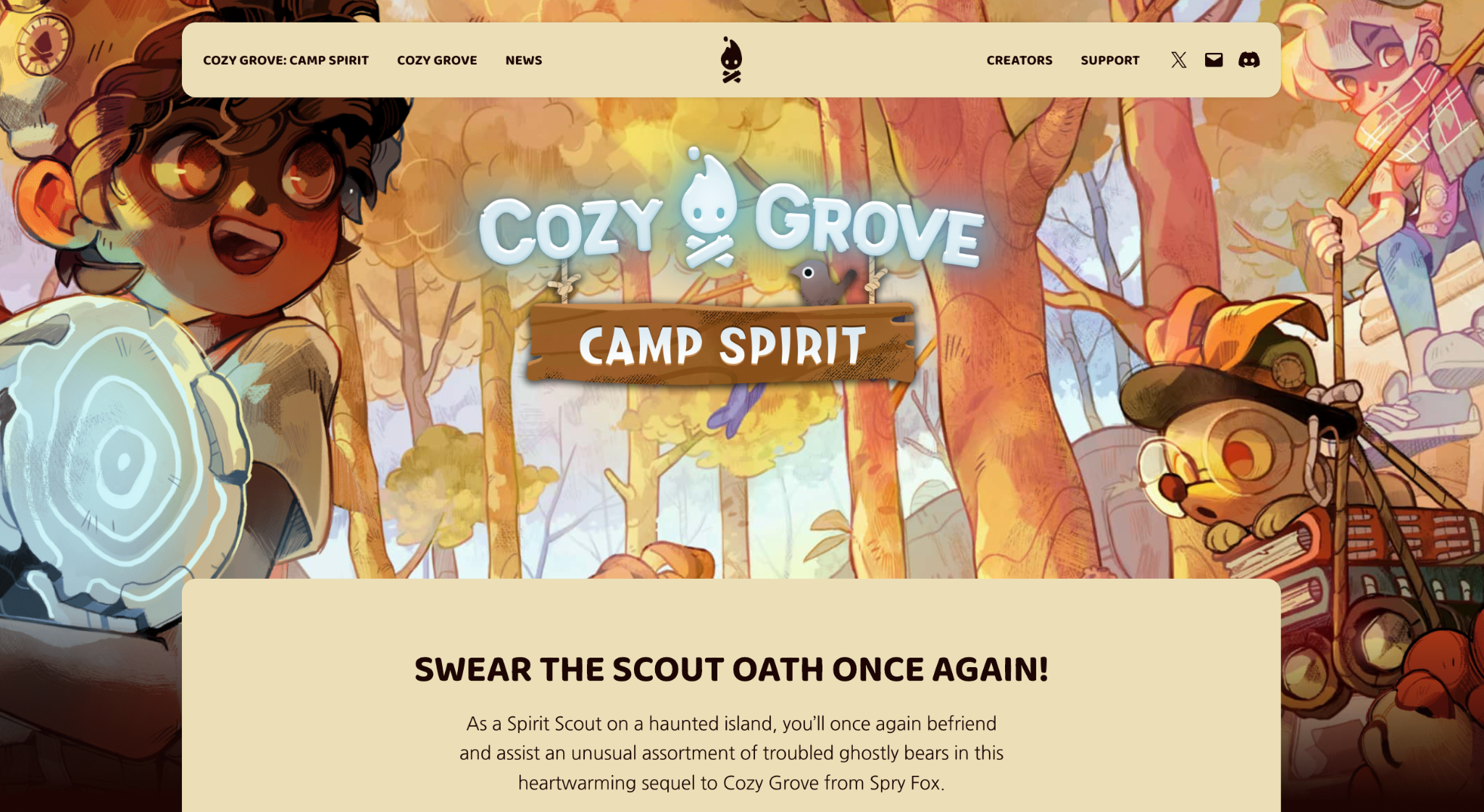
What followed was 15 years of quirky, original titles like Cozy Grove, a narrative-driven life simulation game that became a cult favorite, and Spirit Crossing, a cozy MMO currently in open alpha and targeting a full PC launch later in 2026.
In 2022, Netflix acquired the studio. In January 2026, Spry Fox spun back out as an independent studio, still partnering with Netflix on Spirit Crossing.
Through all of it, including the acquisition and the spin-out, their WordPress.com presence stayed constant.

Why a game studio still needs a website
Many game studios lean hard on social media and paid advertising. Spry Fox has always done things differently.
Their growth has been almost entirely organic — built through a newsletter, Discord communities, Reddit, and a blog that’s been running since the early days of the company.
We’ve been trying to maintain a relationship with our audience through our newsletter, our Discord servers, and our blog on WordPress. That’s been driving the majority of our growth over the years.
David Edery co-founder Spry Fox
The blog is where Spry Fox puts the thinking that deserves more space than quick Reddit or Discord updates. A deep dive into how they tuned the economy of Spirit Crossing, a post explaining a design decision, or a longer piece on where the studio is headed.
That’s where we put deeper thoughts. If we need a place to say: hey, we thought carefully about this — we always start with the blog.
David Edery co-founder Spry Fox

It’s also an archive. A record of how the studio thinks, what they’ve built, and why.
The site also drives traffic. People search for old games like Triple Town, land on the blog, and discover what Spry Fox is working on now. It’s a quiet but steady acquisition channel, and one that costs almost nothing to maintain.
The website that just works
Spry Fox’s game sites — including Cozy Grove and Spirit Crossing — are hosted on WordPress.com and built and maintained by the Automattic Special Projects team.

For David, the value is straightforward.
The website just works. If there’s ever an issue, it gets solved. I don’t have to think about it.
David Edery co-founder Spry Fox
That’s not a small thing for a studio focused on making games. Every hour spent on hosting, maintenance, or troubleshooting is an hour not spent building. WordPress.com removes that category of problem entirely.
Your story deserves a home, too
Spry Fox has spent 15 years building an audience without massive investments in paid advertising. Their site on WordPress.com is a big part of why that works. A place they own and control, and a record of who they are and what they’re building.
WordPress.com gives you fast, secure hosting and a platform built for long-form publishing, so you can focus on the work that truly matters.

Acclaimed South African singer-songwriter Steve Louw has released his new single Across The River, offering a first look at his upcoming album Traces of the Flood, set for release on May 15, 2026. The track, released on April 10, is available across streaming platforms, alongside an official music video. Across The River is built around
Source

Some of the most influential figures to lead a blues rock band over the past six decades are larger-than-life artists
Source

Learn how to optimize your WordPress site for AI search engines with this practical guide.
Source